How-To Geek
Dual Monitor Taskbar Is an Open Source Taskbar Extender for Windows 7
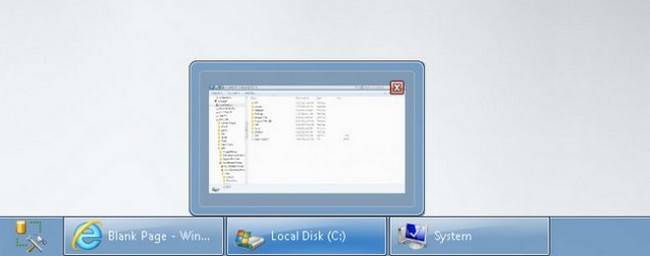
Dual Monitor Taskbar adds a functional taskbar to your secondary Windows 7 monitor complete with Area peak.
There are several application suites on the market that include multiple taskbar functionality (such as Display Fusion Pro) but if you don’t need all the extra features and simply want a functional taskbar, Dual Monitor Taskbar is an open source application that offers Aero peek, a system clock, and application pinning.
Hit up the link below to grab a copy and extend your taskbar today.
Dual Monitor Taskbar [Sourceforge via Addictive Tips]
Got Feedback? Join the discussion at discuss.howtogeek.com
Comments (14)
Jason Fitzpatrick is warranty-voiding DIYer and all around geek. When he's not documenting mods and hacks he's doing his best to make sure a generation of college students graduate knowing they should put their pants on one leg at a time and go on to greatness, just like Bruce Dickinson. You can follow him on Google+ if you'd like.
- Published 08/1/11


Pro: it has a clock on the both bars, allows you to pin objects to both taskbars.(unlike the program i already use)
CON!!!!: when using auto-hide it reserves the edge of the screen where the taskbar would be if it were not hidden. which the program i use now does not do.
Also the program i use now allows me to place separate wallpapers on each screen.
I am currently using UltraMon, which is also free.
Yeah…er, no. This shrinks everything to the upper half of the second monitor and won’t allow maximize. If I wanted to stare at half a sheet of wallpaper I could manage that manually…..
Downloaded this thing twice and both times I was missing a file to make it work. Running Win7 premium 32bit
trinity343, ultramon costs $40.
JDP – there is a free version that works perfectly well
does not work on windows 7 64 bit dll error file missing. best to check out display fusion this has this function plus many others an its not expensive for a life time licence.
display fusion pro is the nutz. a nice lookin taskbar on second monitor, have different wallpaper on each monitor or 1 that spams all, hotkeys and buttons on windows to switch monitor,
display fusion all the way. the other 1s second taskbar looks like it should b from win xp
Display Fusion. It’s all you need.
Not sure why they did it, but this tool only works with a second monitor, Ultramon works for a third or fourth monitor as well.
this actually looks like it belongs with windows7 instead of windows98. this is useable …
http://www.zhornsoftware.co.uk/zbar/ works way better on my PC…
doesn’t work well with win7 64 bit
buggy as all hell
Nice tool for people who needs only the dual task bar functionality. Look wise exactly looking like a win7 taskbar. In addition it shows the system tray as well. Nice tool as a freeware. I use only two monitor so not sure about 3 or 4 monitors.
Fist time I also got a corrupted file. But when I tried again it downloaded the file fully. You may also try the mirror or direct link option that you will get in the same automatic download page which you can try.