
I have decided that J River's Media Jukebox is now my music player of choice. I did an initial review in a previous post. Now let's cover the various features included in this application. Today I will cover how to rip you CD's into your favorite format.
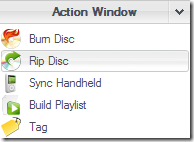
First pull up the the Action Window and select Rip Disc. Then click on the Options link.

In the Options window choose Encoding and change the encoder to the format you like the best ... mine being FLAC. Then click OK.

You can then see the progress of the ripping process in the action Window.

Media Jukebox will go out and download the album cover and track listing information. Also if you hover over a particular track it will display the encoding information and include the album cover as an icon.
