
Quick Links
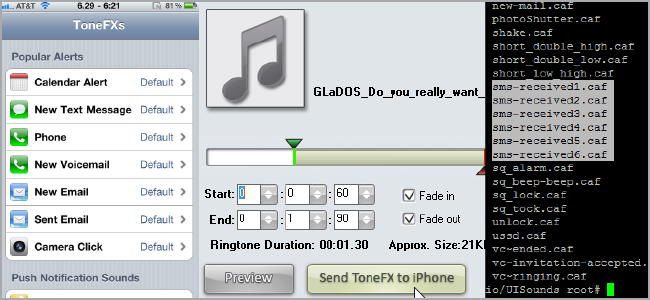
One of the biggest complaints about iOS is the severe lack of SMS tones. If you're jailbroken, however, you can easily add and manage those sounds as well as randomize your ringtones with a great utility called ToneFXs 2.
Installation and Configuration
ToneFXs 2 is a great tool made by Efiko and is available through Cydia for $4.99, with a 15-day free trial.
Open up Cydia and search for "ToneFXs 2 (Pro)".


Scroll down and you'll see a list of features:

When you're ready, tap install, watch it do its thing, and then re-spring when prompted.
Find the ToneFXs icon and open it up. If you also run BiteSMS, you'll see a notice come up.

Tap OK and take a look at all of the system sounds you can change!

Just tap on any alert to assign tones.

You can create "profiles," which are essentially alert sounds for specific contacts, by tapping the plus button. That will take you to the contact selection screen. For now, though, just tap on the Default profile to see the list of available sounds.

You can play with all of the defaults, and ToneFXs even gives you some new ones to play with. If you scroll down, you can even choose the normal defaults of iOS.
From the main menu, tap on Manage Tones to view and delete tones you have.

Getting Sounds Onto Your Device
ToneFXs supports the ringtones that you create using iTunes for all notifications as well as Winterboard sound themes downloaded through Cydia.
You can also download the ToneFXsCreator application for free from the Efiko website to really easily get tones onto your iOS device.

Click on Download ToneFXsCreator to be taken to the download page.

Grab the version for your platform, go through the usual installation steps, and launch the app.

Click on "Browse Computer" to load an audio file, then move the sliders or enter specific times to find start and end points. Click Preview to hear what the file will sound like, and when you're done, click on "Send ToneFX to iPhone".

I used a GlaDOS-esque sound file I created. Give your file a name, then click OK.

The file will be uploaded to Efiko's servers and you'll get a text code.
Now, in the ToneFXs app on your iPhone, scroll down to "Get a ToneFX".

Your audio file will be quickly and painlessly downloaded and added to your ToneFXs library to use as you wish.
Making Your Ringtones Shuffle Randomly
You can easily "shuffle" your ringtones -- or have your phone randomly choose among a bunch of different ones -- by simply choosing multiple sounds for any given alert.


You'll see that it'll say "X Tones" on the Profiles screen, as a sign that you've got multiple selected. Now, you won't get tired of hearing the same song over and over again!
The Old-Fashioned Way
If you're loathe to spend money but you're really bored with the default iOS text message sounds, you can manually replace the text sounds in your iOS system partition. (Please note that this isn't for the faint-of-heart, or those who fear the command-line.)
Install OpenSSH from Cydia and reboot your device. Now, you should be able to SSH into your phone from another computer on your network.
username: "root"
password: "alpine"
Use the above credentials (without quotes, of course) to log in.
Note: The FIRST thing you should do is change the default password, for safety reasons. OpenSSH allows remote access to your phone, so be SURE to change the password to prevent unauthorized use. There have been demonstrated malware attacks that you are susceptible to unless you do this.
Type the following command:
passwd

Then enter a new password and type it again to confirm it. There, now you're safe!
Now, you can use the SCP command to copy files onto your iPhone or iPod touch (but don't setup key file access). Navigate to the following directory:
/System/Library/Audio/UISounds/

The files you need to replace are named "sms-received1.caf", "sms-received2.caf", ..., through "sms-received6.caf". You can create backups of these files in case you want to restore the defaults later:
cp sms-received1.caf sms-received1.caf.bak
and so forth. Here's an example of the command I used to replace the files:
scp mario_brick.aiff root@192.168.1.107:/System/Library/Audio/UISounds/sms-received5.caf
Your files should .AIFF files that have the extension renamed to ".caf" -- which you can do while SCPing -- and you can probably just make them monaural instead of stereo. If you need to edit and convert those files, look at our Basic Guide to Audio Editing: The Basics for basic instructions on using Audacity.
Once you've replaced the default files you can uninstall OpenSSH to prevent outside access to your device, though you will need to reinstall it should you decide to go through the process again. You can also use programs like iPhoneBrowser instead of SSH to replace the aforementioned files.
At just $5, ToneFXs 2 is a really cheap way to manage all of your iOS system sounds, not just your SMS and call alerts. It's much easier than doing things manually, and allows you to shuffle the sounds so you won't get bored of them.
Do you shuffle your ringtones? Have you found a better way to do this? Share in the comments!