How-To Geek
How to Enable Google Chrome’s Secret Gold Icon

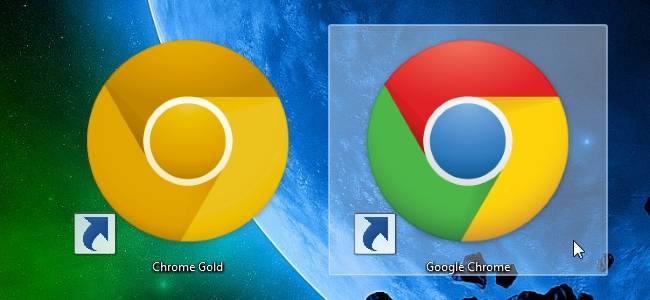
You might not realize this, but there’s actually another icon hidden inside the Google Chrome executable file—and it’s a high-quality version of the same logo, but golden. Here’s how to use it.
If you’re wondering how we got the smooth icon you’re seeing above, it’s because the latest dev channel version switched the icon from the older style.
Enabling the Hidden Gold Icon
All you have to do is open up the shortcut Properties screen and head to Change Icon.


Inside the Change Icon dialog you’ll find a bunch of icons—sadly, the other 3 are low-resolution icons, but you can switch to the gold one from here.


The gold icon looks pretty sweet when you pin it to the Windows 7 taskbar as well…


To pin yours, just un-pin the one you have now, and then swap out the icon in the shortcut, and right-click and choose Pin to Taskbar.
Update: yes, the gold icon is from the Canary build, but most people don’t realize that it’s stored in the executable file for the regular version too. If you want to download all of the icons, including the blue Chromium icon, you can do so from the following link. You’ll need to save them somewhere, and manually choose the icon path in the Change Icon screen.
Download the New Google Chrome Icons [deviantart]
Got Feedback? Join the discussion at discuss.howtogeek.com
Comments (28)
Programmer by day, geek by night, The Geek, also known as Lowell Heddings, spends all his free time bringing you fresh geekery on a daily basis. You can follow him on Google+ if you'd like.
- Published 03/16/11


That’s no secret icon :D it’s only Canary Build icon :D
Is this not the one used for the canary build?
Yeah… but most people don’t know it’s there =)
a blueish version of the icon by me
http://cr7network.deviantart.com/art/Plasticky-Chrome-200203815
:)
They need to make a Chrome colored icon for it’s namesake.
@Kyle:
Nice!
here’s a chrome chrome icon
Nice! Now if there was a way to change the icon in the browser, and rename the window title “Google Chrome: Gold Edition”, I can completely fake out all of my friends.
download all the 3 new google chrome icons here:
http://carlosjj.deviantart.com/art/new-google-chrome-icons-201136748
@Carlosj
Awesome – I’m gonna link to that from the post.
HEY GEEK!
Don’t leave KomanderKain’s out! I think they’re looking awesome!!
here:http://kobesozai.web.fc2.com/
that is what chrome is ;)
thanks guys
sweet
I still didn’t get the new icon for canary?
I have got Google Chrome Canary browser which I installed last week. And my icon is not like the new one. It is yellow with grey in the middle-the old icon.And when I looked at the change icon options the new icon is not there. Andrea Borman.
Hmm this actually works on the Stable version of chrome as well, so I’d imagine this would work on all other versions too. (I’m running XP tho I’ll check the Win7 version later).
can i do that in Ubuntu?
How about a skull and bone icon !!?
Britonius Maximus “They need to make a Chrome colored icon for it’s namesake”
After doing so my pinned icon now shows “Google Chrome (2)” when I right click on it on the taskbar. Why? I figured it was because it is now a second shortcut, but it annoyed me, so I reverted back to the original, but the “(2)” is still there. I even un-installed Chrome (including all personal data), re-downloaded it, and the stupid “(2)” is still there! I thought starting fresh would fix it. HELP!
I really liked the old Canary built icon , but google ruined it
3 really “geek”
Hey! Thanks I didn’t knew that they have kept both logo..
they should make a gold and then a bronze one. or change the logo to crome icons. it then would be way cooler.
why would they do that its wierd
not really when they made gold. silver goes with it . but bronze might be a bad idea :p
bronze is actully gold a little bit
boo for bronze
elton