How-To Geek
What Happened to Solitaire and Minesweeper in Windows 8?

The desktop versions of Solitaire and Minesweeper are gone in Windows 8, replaced with Xbox-integrated full-screen versions. While the classic desktop versions are missing in action, there’s a way to get them back.
Hardcore gamers may scoff, but Solitaire and Minesweeper are popular time wasters that every Windows user has fired up at some point. Windows 8 brings significant changes to these classic games that have been with us since Windows 3.0 and Windows 3.1, respectively.
Playing the New Solitaire and Minesweeper
To play the new Solitaire or Minesweeper, click the Games tile on your Start screen.


This opens the Xbox games app, where you can choose to install Solitaire and Minesweeper, along with other games like Mahjong and Pinball.


To play one of the games, click its tile and click the Play button.


You’ll be prompted to install the game from the Windows Store.


Click the Install button on the game’s store page to install your game of choice. You can also search for Solitaire, Minesweeper, or other games directly from the Store app, accessible from the Start screen.


Tiles for games you install will appear on the Start screen. Click one of the tiles to play a game.


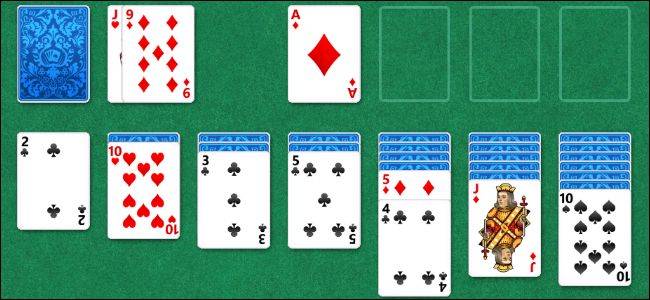
Each game allows you to choose between several different modes. If you’re played classic Solitaire, Klondike is likely the mode you’re most familiar with.


Both Solitaire and Minesweeper include Xbox achievements, as silly as that may seem.


There’s even an achievement for losing in Minesweeper – “Happens to Everybody.”


Restoring Desktop Solitaire, Minesweeper, and Other Classic Games
Windows 8 no longer includes the desktop versions of Solitaire, Minesweeper, and other classic games. Assuming you have a Windows 7 computer lying around, you can copy the old versions of these games to your Windows 8 system and make a few tweaks to get them working.
First, on your Windows 7 computer, navigate to C:\Program Files\, locate the Microsoft Games folder, and copy it to a USB drive (or other removable media).


Next, navigate to the C:\Windows\System32\ folder on your Windows 7 system and copy the CardGames.dll file to the USB drive, as well.


Connect the USB drive to your Windows 8 system and copy the Microsoft Games folder to its old location at C:\Program Files\ on Windows 8.


Copy the CardGames.dll file to the Solitaire subfolder. You’ll also have to copy this file to the FreeCell, Hearts, and SpiderSolitaire folders if you want to play those games.


Unfortunately, each of these games performs a Windows version check when it runs. We’ll need to patch out the version check so they run properly.
To do so manually, you can use a hex editor to open each game’s .exe file and search for the following bytes:
7D 04 83 65 FC 00 33 C0 83 7D FC 01 0F 94 C0
Replace the first 7D in the sequence above with EB, and then save the file. You’ll need to do this manually for each game’s .exe file.
An easier way of patching is using Microsoft Games Patcher, which does this tedious work for you. Just download the patcher, double-click it, and click the Patch button.
(Important Note: Windows 8’s built-in Windows Defender will flag this patcher as potentially malicious software. You can safely ignore this warning. The exact categorization is HackTool:Win32/Patch.P. As we can see on Microsoft’s malware database, this “is a generic detection for a series of hacking tools intended to “patch” programs that may be evaluation copies, or unregistered versions with limited features.” It’s flagged as malware because it’s similar to tools that are often used by pirates to “crack” software.)
Thanks to Tito and woot332 from the My Digital Life Forums for creating this patcher and discovering this trick, respectively!


After patching or hex editing each game’s .exe files, the desktop versions of these classic games will run normally in Windows 8.


You can right-click each game’s .exe file to add it to your Start screen, pin it to your taskbar, or create a shortcut.


You can now play these classic games from the full-screen environment formerly known as Metro or the classic Windows desktop!
Got Feedback? Join the discussion at discuss.howtogeek.com
Comments (31)
Chris Hoffman is a technology writer and all-around computer geek. He's as at home using the Linux terminal as he is digging into the Windows registry. Connect with him on Google+.
- Published 08/20/12


Can someone upload solitare gameand lieve link here? I don’t have Win7.
I gotta tell ya, I really like the Metro versions of both. Snapping those versions off to the side lets you keep playing while running around on the desktop. Though getting used to playing Solitaire is WEEEIIIIRRRD.
I gotta tell ya, I really like the Metro versions of both. Snapping those versions off to the side lets you keep playing while running around on the desktop. Though getting used to playing Solitaire vertically is WEEEIIIIRRRD.
Opps, double (now triple) post!
You should fix that line above the Command bar in Windows Explorer on Windows 7. To do so:
1) Close all Windows Explorer windows.
2) Open the Registry editor;
3) Go to HKEY_CURRENT_USER\Software\Microsoft\Internet Explorer\Toolbar\ShellBrowser;
4) Delete the ITBar7Layout DWORD value.
And it’s done.
Shoot, I wish I could get pinball back in Win7.
So we have to DOWNLOAD it from the windows store? What if your computer doesn’t have a connection? (example, used in a place like your vacation house for printing photos) What if you don’t want to waste the bandwidth? A lot of people who have satellite internet only get 200MB of bandwidth per day.
@LadyFitzgerald, check out this YouTube video on how to do that: https://www.youtube.com/watch?v=caLasd2OV8Y :)
Windows 8 SUCKERS !
you can get pinball back in windows 7 if u got a xp computer laying around, theres a HTG article on how to migrate xp games to vista/7.
I really dislike Windows 8 so I went back to Windows 7 life. My friends seems happy with Windows 8 but I don’t. It’s so Desktop less at begins then click menu to desktop is like I am using cellphone on Windows 8.
Yeah I really don’t like the idea of Windows 8 creating a look that it looks like a big cell phone on the computer. I’ll just stick with Win. 7 so I don’t have to do all kinds of editing. However, would be nice to know if UT99 can still play on Win 8? I would think plenty of editing in the Win 8 would make it work.
@ladyfitzgerald
If you want pinball back, check out this site
http://mspinball.weebly.com/
It’s very easy to download and virus free.
There’s a definitely overwhelming amount of “Modern” baked into the two classics now, but I like it- it really is a refreshing take on what’s been pretty dormant since the days of 95!
Yes, but does the magic word still work in Minesweeper?
Another example of Microsoft’s conflicted thinking, or “loosing their way.” They, clearly, designed Windows-8 for the consumer marketplace, yet remove one of the features of the consumer marketplace. If Windows-8 were designed for the business/enterprise marketplaces, I could (possibly) understand the removal of games.
Once again I have to thank you for good work. Solitare is important to me. I’m recovering from a brain injury and Solitare was one of the 1st things I could do with a computer. Later I captured my screen during it to show my neurologist how I was progressing physically–with hand eye co-ordination, and mentally–how long it took me to recognize matches and improvements in my working memory. I still use it almost every day as a theraputic exercise–it’s not just a time-waster (although it is that too)
Your piece is another gem from you for people with cognitive and physical issues and I thank you very much
Hey! Do you guys know if it would be legal to put the XP pinball files on my site so that people without XP could still get the pinball game?
Thanks!
yet another reason to hate Windows Eight
another reason why 8 gonna fail. ha!
@CoopsMgoops: Probably not. Best to contact MS to see if they’re amenable… but they probably won’t be. Another alternative, of course, is to upload it “elsewhere” and direct your readers. That is, if you can be subtle about it.
The more I read about Windows 8 the more I dread being forced to use it.
One more reason to leave 8 on the store shelf covered in dust.
Never mind the small programs like these, although it’s nice to know a fix is available! I want to know is how the BIG programes like video editors will sit on Windows 8, as upgrading those can be more costly than the PC it’s going on. Windows 7 doesn’t seem to have had much time out there and we’re all changing again, a bit too quick methinks.
Try Mines Perfect Portable, a much better version of the Minesweeper game.
Yes, it totally happens to everybody to walk on a mine :3
Is it possible to take the games from Win8 and use them on 7?
yea windows 8 can fall in a fire, xp is the way to go if you want to do something with your computer, 8′s just too close to mac
God, 8 just looks appallingly awful! Ballmer has really got to go. Let someone who knows what they are doing run M$ instead of this weirdo that opens company presentations looking like he just injected a massive dose of speed laced with cocaine. Of course, that IS the one thing he does very well….
Yet another comment crapping on Windows 8. I don’t need details, I’ll just point at the others and say “me too”.
Solitaire games for Xbox, though? How? Or is Microsoft just using Xbox branding for computer games now? Because that’s pretty stupid.
I had Solitaire on my HP running Win 7. I did not like it. so is copied the old solitaire from Win XP — (sol.exe” and “cards.dll” in “\windows\system32\”. I have the old card decks (I like the frog) and the cards flip over instead of rolling over like an old drunk. It should work with Win 8.
Tomj
Comment on Windows 2.(whatever) thru Windows 8
Prior to Bill Gates and Microsoft, Norton (prior to Symantec) had a desktop. Gates basically stole it. End of Norton Desktop. Ever since Gates and Microsoft have been producing an inferior product that get worse with each new release. I have been wondering since Windows 95 came out just how long the software and hardware developers around the world are going to continue to be held hostage by this company that continues to produce a product that rarely works as advertised, has enough patches to keep the Titanic afloat and still leaks like a sieve.