• ARTICLES
SEARCH

How-To Geek

How to Enable the Delete Confirmation Dialog in Windows 8

image

If you have just switched to Windows 8, or are about to, and find yourself constantly sending files to the recycle bin by mistake, it’s probably because Microsoft disabled the delete confirmation dialog, here’s how to re-enable it.

Enabling the Delete Confirmation Dialog

Right-click on the Recycle Bin icon on your desktop and select Properties from the context menu.

You need to check the box near the bottom of the Properties dialog that enables the confirmation dialog.

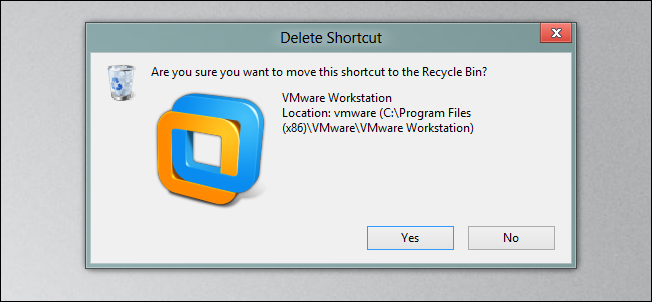
If you now go try and delete something you will immediately be asked if you really want to send the item(s) to the recycle bin.

That’s all there is to it, remember if you want to delete something without sending it to the recycle bin you can always use the Shift + Delete keyboard combination.

Don't show again X

Don't Upgrade to Windows 8 Until You Read This Book!

Windows 8 can be confusing, but our comprehensive guide will teach you everything the easy way.


There are over a thousand screenshots and pictures to walk you through everything there is to know about Windows 8, and it's written in the classic How-To Geek style that you know and love.


Get Your Copy Now  

Comments (9)

  1. Ali Salem

    Microsoft disabled it on small files only as far as I know. I find what they did really convenient.

  2. Jrau18

    I don’t get it on anything. What’s a “small” file to you?

  3. SatoMew

    And this is also how you disable/enable it in previous Windows versions.

  4. Daniel

    sometimes you can only move small files to the recycle bin depending on the size of it.

  5. Amr

    Can I disable the Delete confirmation dialog on Windows 7?

  6. Amr

    Here’s how to disable the Delete confirmation dialog on Windows 7/Vista
    http://www.howtogeek.com/howto/windows-vista/disable-delete-confirmation-dialog-in-windows-vista/

  7. SatoMew

    @Amr, yes, read my previous comment.

  8. lemRe

    Is it possible to disable the “delete confirmation” dialog on Windows 7?

  9. rangerevo8

    Its not that hard to press shift delete for permanent delete.
    without confirmation, accidentally press delete send your files to recycle bin. And its very inconvenient to review file for restore in recycle bin.

Taylor Gibb is a Microsoft MVP and all round geek, he loves everything from Windows 8 to Windows Server 2012 and even C# and PowerShell. You can also follow him on Google+

  • Published 08/24/12

RECOMMENDED POSTS