How-To Geek
How to Stop the Start Menu from Alphabetically Arranging Your Programs

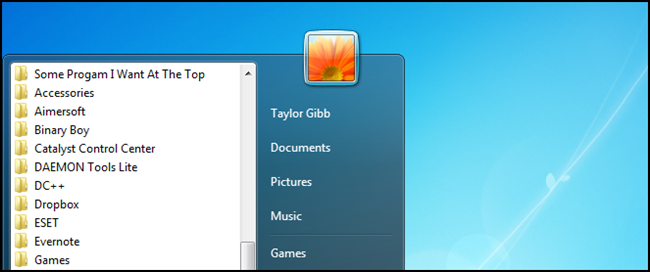
By default the Start Menu will automatically arrange your installed programs alphabetically, while this may be the behavior you desire, I know a lot of people who are irritated by it. Here’s how to disable it.
Disable Alphabetic Sorting Of Programs
Right-click on the Start Orb and select Properties from the context menu.


When the Properties dialog loads, make sure your on the Start Menu tab and hit the Customize button.


This will bring up the customization options, scroll down until you find the option labeled Sort All Programs menu by name and deselect the box.


Click ok and that’s all there is to it, you can now arrange your programs as you wish.


Got Feedback? Join the discussion at discuss.howtogeek.com
Comments (11)
Taylor Gibb is a Microsoft MVP and all round geek, he loves everything from Windows 8 to Windows Server 2012 and even C# and PowerShell. You can also follow him on Google+
- Published 02/27/12


Why would anyone NOT want alphabetic ordering? Who wants a list on which your target could be literally anywhere?
You’d NOT want alphabetic ordering when you are organizing by your personal priorities and functions:
e.g. you make a folder called Media Players and you drag and drop VLC to the top ’cause you use it most;
e.g. you have a program folder and want to show the program name first instead of uninstall
etc.
“make sure your on the Start Menu tab” – you’re, not your.
Thanks when in alphabetical mode sometimes the item you use most often is at the bottom of the list, irritating.
I want the program I use the most to be at the bottom of the list so not having the list in alphabetical order MY way to go…as it is faster to get to.
Is there a way to sort all the programs alphabetically – I always see two lists – one for programs that have icons, and one without. Can they be integrated?
Sorry, to be more specific, I don’t mean in the start menu, but in the full program list.
Awesome! out many years using win7, this option slipped past my eyes.
Re: Russ
“You”re” micromanagement is showing, “you’s” may wanna tuck it back in.
(this is worse than tossing a dictionary in the monkey cage -now all the chimps think “their” Hemingway). :D
Neat instructional on alphabetization, though.
Freely admitting I’m confused…..
Quote, “Click ok and that’s all there is to it, you can now arrange your programs as you wish.”
I agree it would be great to have my most used programs at the top of the list. How would I do that? At present, I keep about a dozen shortcuts on the desktop. I’ve often wished there was a better way.
Fantastic! This had been irritating me for soooo long :)
This worked for me, but only after I shut down and restarted Explorer.exe in the Task Manager.